Two decks and a mixer
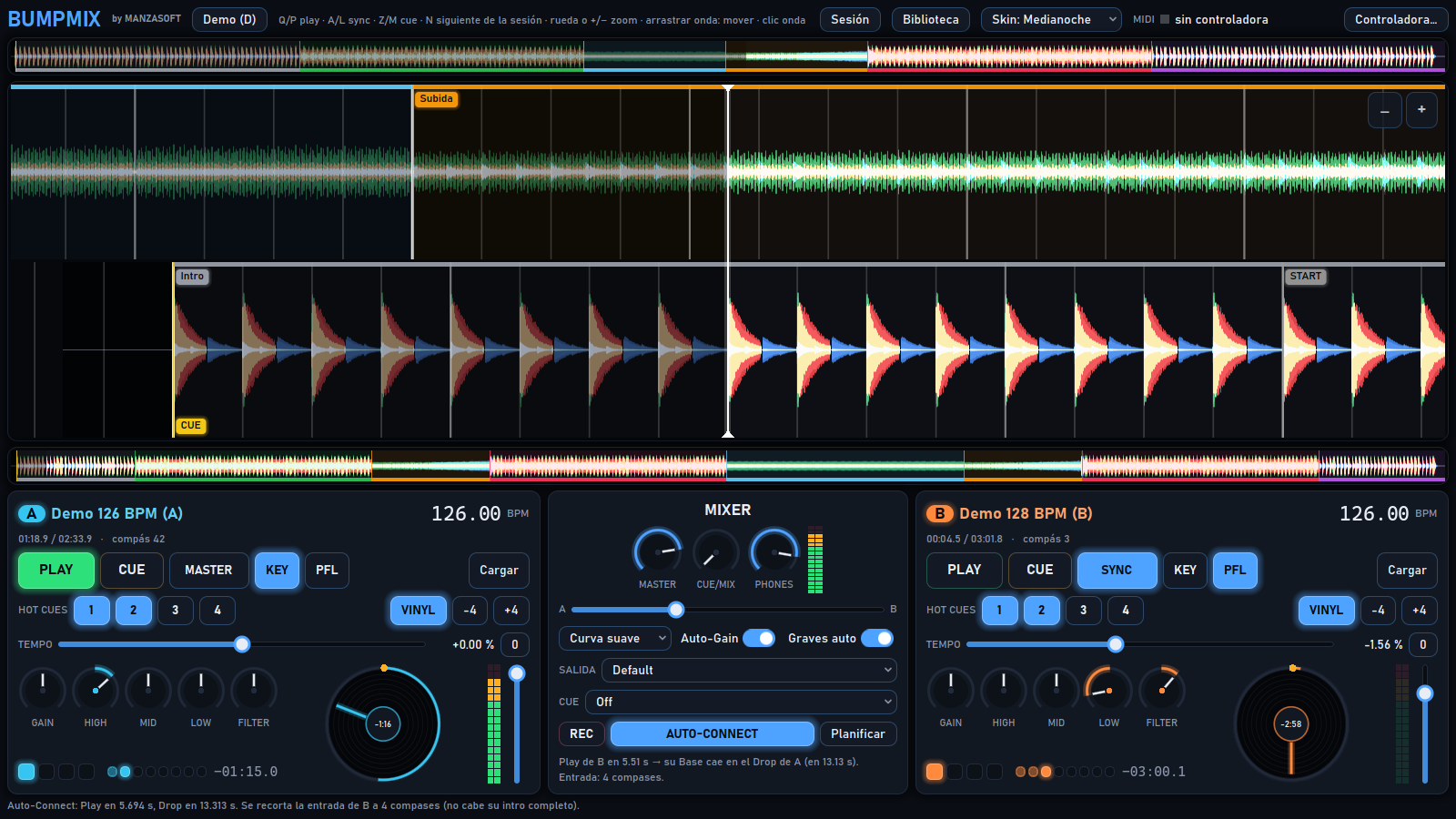
Load MP3, OGG or WAV files. Mix with three-band EQ, filters, gain, faders and a crossfader.
Audio and DJ mixing
Shape your next mix.
Two decks, a visual view of your music and tools to prepare, connect and record electronic music sets. A Manzasoft mixing workspace built around your own audio files.
WHO IT IS FOR
BUMPMIX
Load MP3, OGG or WAV files. Mix with three-band EQ, filters, gain, faders and a crossfader.
Analyse tempo and beatgrids, align bars and follow track drift with a dynamic beatgrid.
Identify sections such as Intro, Base, Build and Drop. Auto-Connect plans the next track’s entry around that structure.
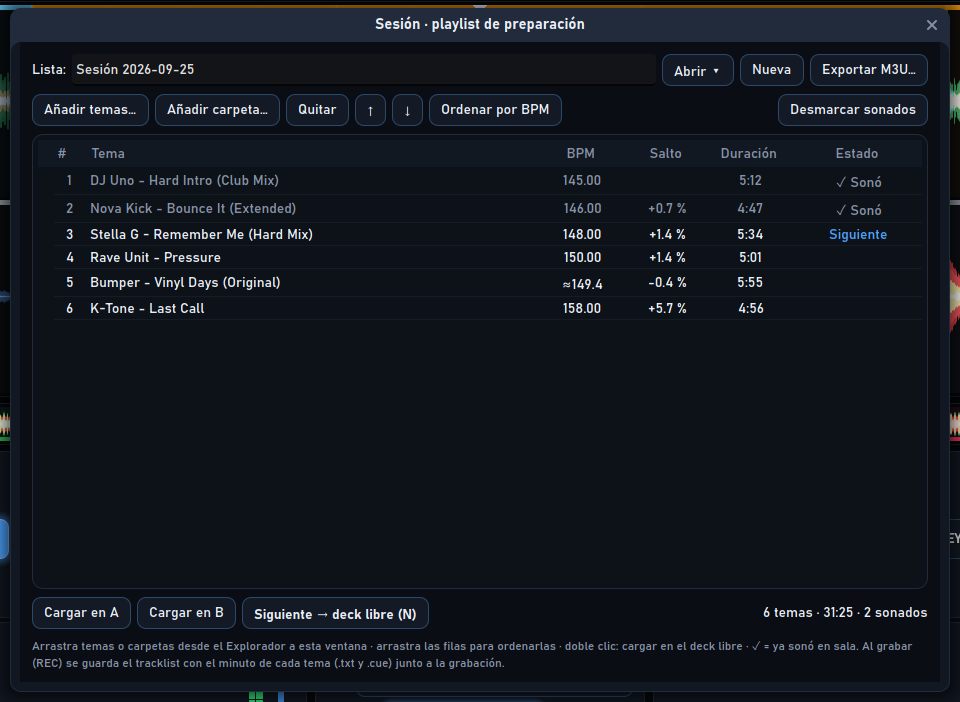
Analyse folders in the background, prepare track order, review tempo changes and export M3U playlists.
Record your set and keep a timed tracklist alongside a CUE sheet.
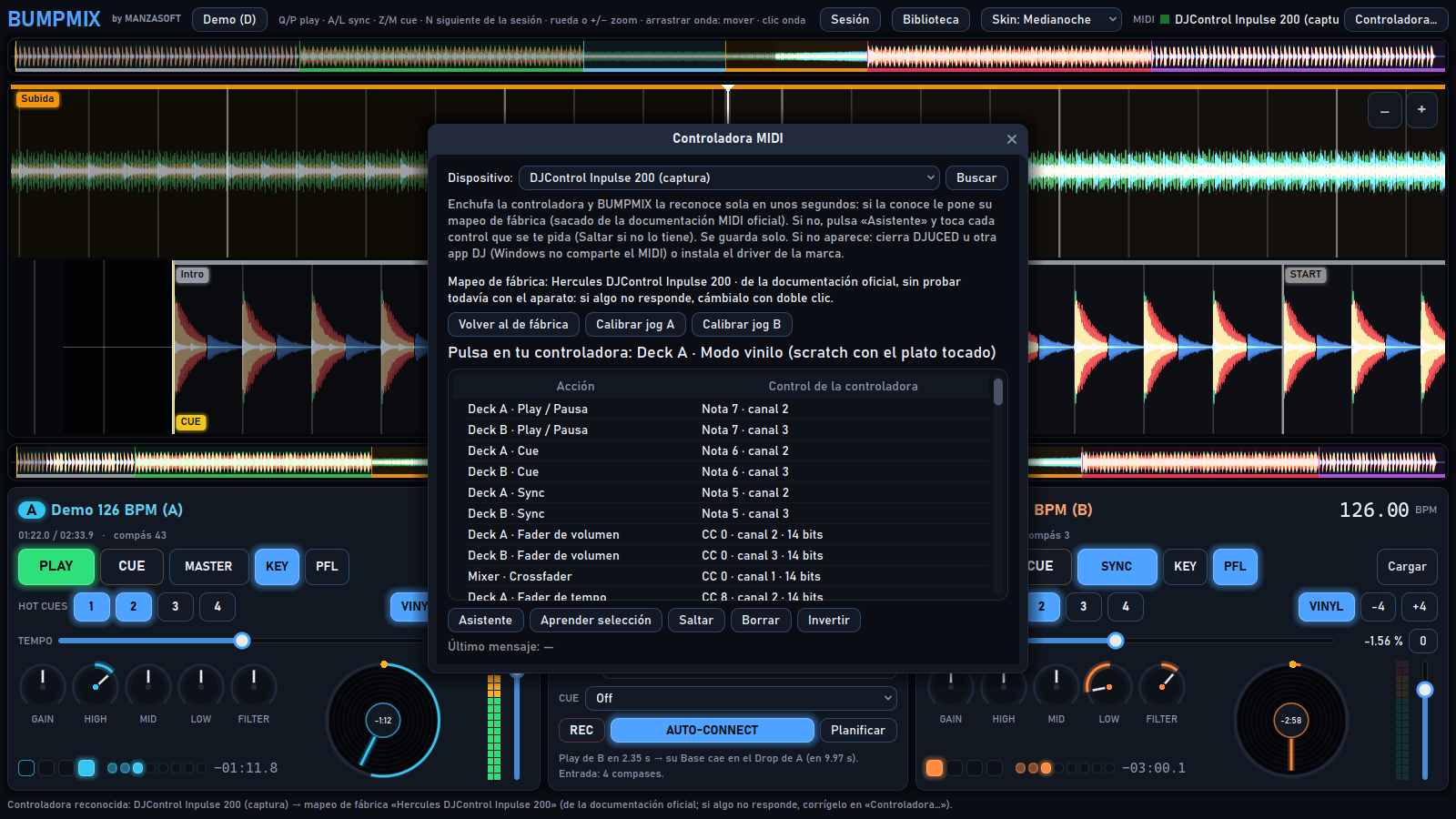
MIDI setup assistant, hot cues, jog and vinyl mode. Includes 36 documented factory mappings and thirteen visual themes.
INSIDE THE APP
GETTING STARTED
Email us with your Windows version and, if you use one, your controller model.
Add your audio folders and let them analyse. You can start with the built-in two-track synthetic demo.
Load tracks into A and B, adjust the mix and enable REC when you want to keep the set.
COMMON QUESTIONS
No. You can use the mouse and keyboard. A controller is optional, and compatibility depends on its model and drivers.
It includes a demo with two synthetic tracks for testing. Load your own audio files for your sets.
FREE, BY EMAIL
The button opens an email with the program name. You can also write directly to [email protected].